
The theme controls the experience
Important product content and merchandising are squeezed into blocks chosen for appearance rather than the decision.
Shopify web design should do more than restyle a theme. Catalogue structure, product information, merchandising, mobile usability, checkout and the apps behind the store need to support one clear buying journey your team can operate after launch.

Shopify handles much of the infrastructure, but customers still need clear categories, useful product information and confidence around delivery, returns and checkout. Those decisions determine whether the storefront helps or hinders the sale.
Important product content and merchandising are squeezed into blocks chosen for appearance rather than the decision.
Overlapping tools add scripts, fees and workflows without a clear owner or measurable role.
Shoppers struggle to browse by use, fit or attribute because the catalogue follows warehouse language.
Critical details and actions are buried beneath crowded content, pop-ups and repeated widgets.
Shopify is strongest when core commerce remains dependable and customisation is reserved for a meaningful merchandising or operational need.
A heavily customised Shopify store can become harder to maintain than a disciplined one. The right build protects the platform's strengths while improving the parts customers actually experience.
Define products, variants, collections, filters and search before choosing a theme structure.
Use reusable sections and templates that protect consistency while giving the team practical editing control.
Add an app only when native features or a lighter integration cannot meet the requirement.
Plan stock, fulfilment, discounts, payments and ownership with the people who run the store.
Clear ownership prevents duplicate tools and keeps important store behaviour easier to maintain.
Illustrative architecture. Final responsibilities follow your catalogue, systems and Shopify plan.
Products, variants, orders, checkout and customer records use Shopify's core systems where practical.
Avoid replacing stable native behaviour without a clear requirement.
The store remains easier to update and support.
Templates, sections and content hierarchy control how shoppers browse, compare and act.
Create reusable patterns around real product types and buying questions.
The storefront feels specific without becoming brittle.
Reviews, subscriptions, search or integrations are added where they solve a documented need.
Check script weight, data ownership, recurring fees and fallback before installation.
The app stack stays purposeful rather than accumulating by habit.
Stock, shipping, tax, notifications and team roles support the promise made on the storefront.
Test the order lifecycle, not only the checkout screen.
A completed order enters a workflow the business can reliably deliver.
The fixed scope follows catalogue size, content, integrations and the complexity of the buying journey.
Clarify customers, products, operations, existing data and platform constraints.
Plan products, variants, collections, filters and search around how shoppers find the range.
Create responsive templates and sections aligned with the brand and priority decisions.
Structure product details, proof, policies and prompts around confident choice.
Configure approved tools for payments, shipping, reviews, email or operational systems.
Validate data, devices, orders, notifications and team workflows before handover.
The result should make product choice easier without turning normal store management into a development task.
Collections, search and filters reflect the language and attributes shoppers use.
Templates reveal the information, proof and policies needed to buy confidently.
Every external tool has a clear purpose, owner and operational consequence.
Reusable sections and training make campaigns and catalogue updates easier to manage.

Direct communication keeps design, apps and operations visible, with each custom decision explained before it becomes part of the live store.
The order of work protects the store from attractive design built on unresolved product data.
Define products, variants, fulfilment, payments, apps, data and priority customer journeys.
Create collections, page roles, wireframes and product information requirements.
Build the responsive theme system and connect approved commerce tools.
Validate mobile shopping, checkout, payments, shipping, notifications and team workflows.
Good design makes the offer easier to understand and the next action easier to take. These projects connect the website with bookings, sales and search visibility.

A custom website and instant quote calculator replaced slow phone-based quoting with a clearer booking journey.
1,700% more online bookings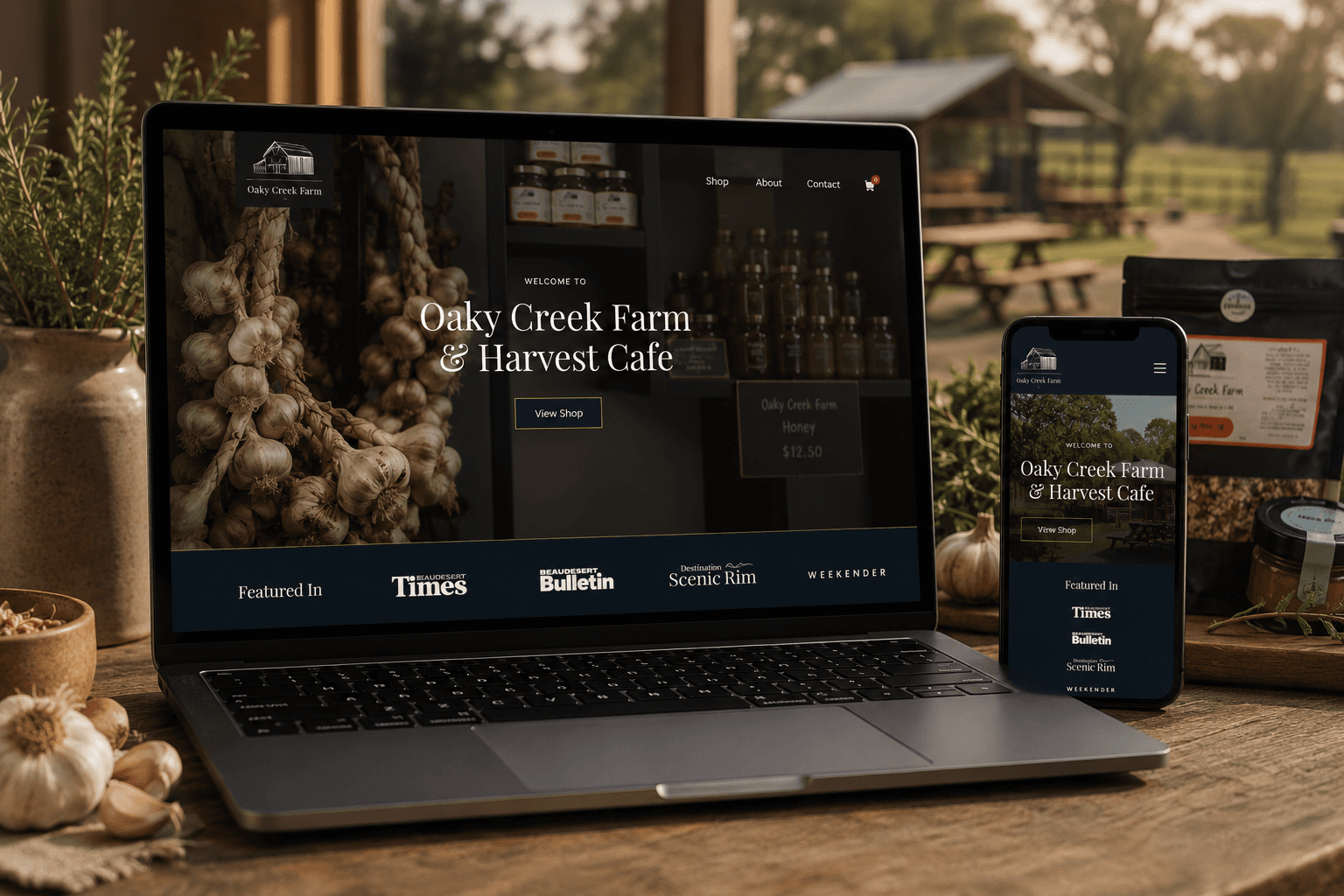
A content-rich website connects the farm cafe, products, bookings and online ordering in one customer journey.
2,105% increase in organic traffic
A premium online store made products easier to discover, compare and purchase across screen sizes.
1,750% increase in total salesYou receive a fixed scope, price and payment schedule before work begins. Shopify subscriptions, paid themes and third-party apps are identified separately so recurring commitments remain visible.
Discuss the right website scopeUnderstand the fit, ownership, timeline and investment before deciding what belongs in the build.
Shopify web design plans and builds the catalogue, theme, content and app experience around how shoppers discover and buy products on Shopify.
Shopify supports Australian payments, shipping and tax workflows, but suitability depends on catalogue, operations, integrations and ownership preferences.
Not always. A carefully configured theme can suit simpler stores. Custom theme work becomes valuable when product types, brand, content or merchandising need a more specific experience.
Investment depends on catalogue size, theme work, content, migration and integrations. You receive a fixed project scope and price, with platform and app subscriptions listed separately.
Often yes. The source platform, data quality, customer permissions, order history and URL requirements determine the migration scope.
Often yes through native tools, apps or APIs. Feasibility and ownership should be confirmed before the integration is included.
The build includes crawlable catalogue structure, metadata controls and internal-link foundations. Competitive growth may require ongoing eCommerce SEO.
Yes. Reusable sections, documented responsibilities and training support the catalogue and content tasks your team will own.
These services solve closely related website problems without forcing every requirement into one generic build.
Compare platform-neutral store strategy before committing to Shopify.
Explore eCommerce websitesRework an existing store while protecting useful content and URLs.
Explore Website redesignsMaintain storefront content, apps and priority purchase journeys.
Explore Website care plansOwnership, editing, products, integrations and maintenance matter more than loyalty to a particular platform.
Compare deeper WordPress ownership and content flexibility.
Explore WooCommerce websitesExplore content-led sites with flexible publishing control.
Explore WordPress websitesAssess a custom platform approach for specialised workflows.
Explore Custom web designShare the range, current platform and friction you want to solve. Your storefront and requirements are reviewed before the session so the strongest priorities can be discussed.
This is a working session built around your business, not a templated audit or a disguised sales call.
Your catalogue, storefront and visible buying journey are reviewed.
Clarify the strongest theme, app and operational priorities.
A practical recommendation for Shopify scope and next steps.
Speak directly with the specialist doing the work. No account manager, no obligation and no sales script.