
The template leads the content
Important information is shortened, buried or repeated because the business is adapting itself to a preferred visual layout.
Squarespace web design can give a service business, consultant or creative brand a polished website without creating a complex technology stack. The value comes from choosing the platform for the right scope, then giving the content, mobile journey, forms and editing experience more thought than a template alone can provide.

The platform can reduce technical overhead, but it cannot decide what customers need to understand or whether a future workflow will fit. A good project protects simplicity without ignoring the business needs that may outgrow it.
Important information is shortened, buried or repeated because the business is adapting itself to a preferred visual layout.
Navigation and calls to action do not guide visitors from first question to comparison and enquiry.
Bookings, forms, email and specialised features accumulate without a clear view of subscriptions, data or ownership.
Location pages, complex content, advanced integrations or commerce requirements emerge after the site has committed to a simpler structure.
Squarespace often suits a focused brochure, portfolio or straightforward service website. WordPress, Shopify or a custom build may be a better choice when content architecture, commerce, integrations or future expansion require deeper control.
Squarespace is not the right answer for every small website. A simpler platform is valuable only when it can support the customer journey and the business behind it.
List pages, content, forms, bookings, payments, integrations and future needs before deciding the platform is simple enough.
Use layouts to explain the offer, build confidence and lead to action instead of decorating a template.
Use built-in features where they fit and add external tools only when their role, data and subscription are understood.
Document what your team can edit, what the platform manages and which changes still need specialist help.
A clear platform decision compares the website you need now with the ownership, publishing and functionality you are likely to need next.
Illustrative fit check. Final recommendations follow your requirements and current Squarespace features.
A defined set of pages, clear enquiries and a small editing team align well with the all-in-one model.
Keep the journey focused and use the platform's native strengths where practical.
The business gets a polished website without unnecessary complexity.
Simple workflows may fit, but plan availability, subscriptions and operational requirements need confirmation.
Test the full customer and team workflow before treating a feature as solved.
The selected tools support the service rather than creating a parallel process.
A growing library of services, locations or resources may require more flexible structure and publishing control.
Map expected content types and navigation before committing the architecture.
The platform decision reflects the next stage, not only launch day.
Specialised checkout, advanced product logic or application behaviour can push beyond Squarespace's most practical use.
Compare Shopify, WordPress or a custom build before forcing the workflow into add-ons.
The business avoids rebuilding around a limitation it could identify early.
The fixed scope follows the pages, content, forms, integrations and migration work required, with platform responsibilities stated before the build begins.
Confirm Squarespace can support the website, editing and operational needs without awkward workarounds.
Organise navigation and content around customer questions, comparisons and priority actions.
Shape the selected Squarespace system around the brand while keeping mobile readability and usability clear.
Place approved copy, imagery and proof into a deliberate hierarchy rather than filling template sections by habit.
Configure agreed enquiry, measurement, booking or marketing tools and document how they are managed.
Check devices, forms, metadata and redirects before showing your team how to manage routine updates.
The strongest result is not the most customised Squarespace site. It is the clearest website the platform can support reliably without unnecessary tools or fragile workarounds.
Visitors can understand the offer, credibility and next step without decoding an overly creative layout.
Core hosting and platform responsibilities stay together instead of becoming a collection of separate services.
The team can make agreed routine updates inside a familiar editing environment.
Known limits, subscriptions and migration considerations are visible before the website depends on them.

Direct advice keeps the trade-offs visible. If Squarespace can support the website cleanly, the build stays focused. If another platform better protects your content, operations or growth, that decision is made before design locks it in.
The staged process confirms platform fit, content and functionality first, then turns the approved direction into a website your team understands.
Define audiences, pages, content, forms, integrations, editing roles and future requirements.
Set the sitemap, page roles, content hierarchy and actions before committing to a visual structure.
Build the responsive website, populate approved content and connect the agreed tools.
Validate priority journeys, devices, forms and tracking before handover and launch.
Good design makes the offer easier to understand and the next action easier to take. These projects connect the website with bookings, sales and search visibility.
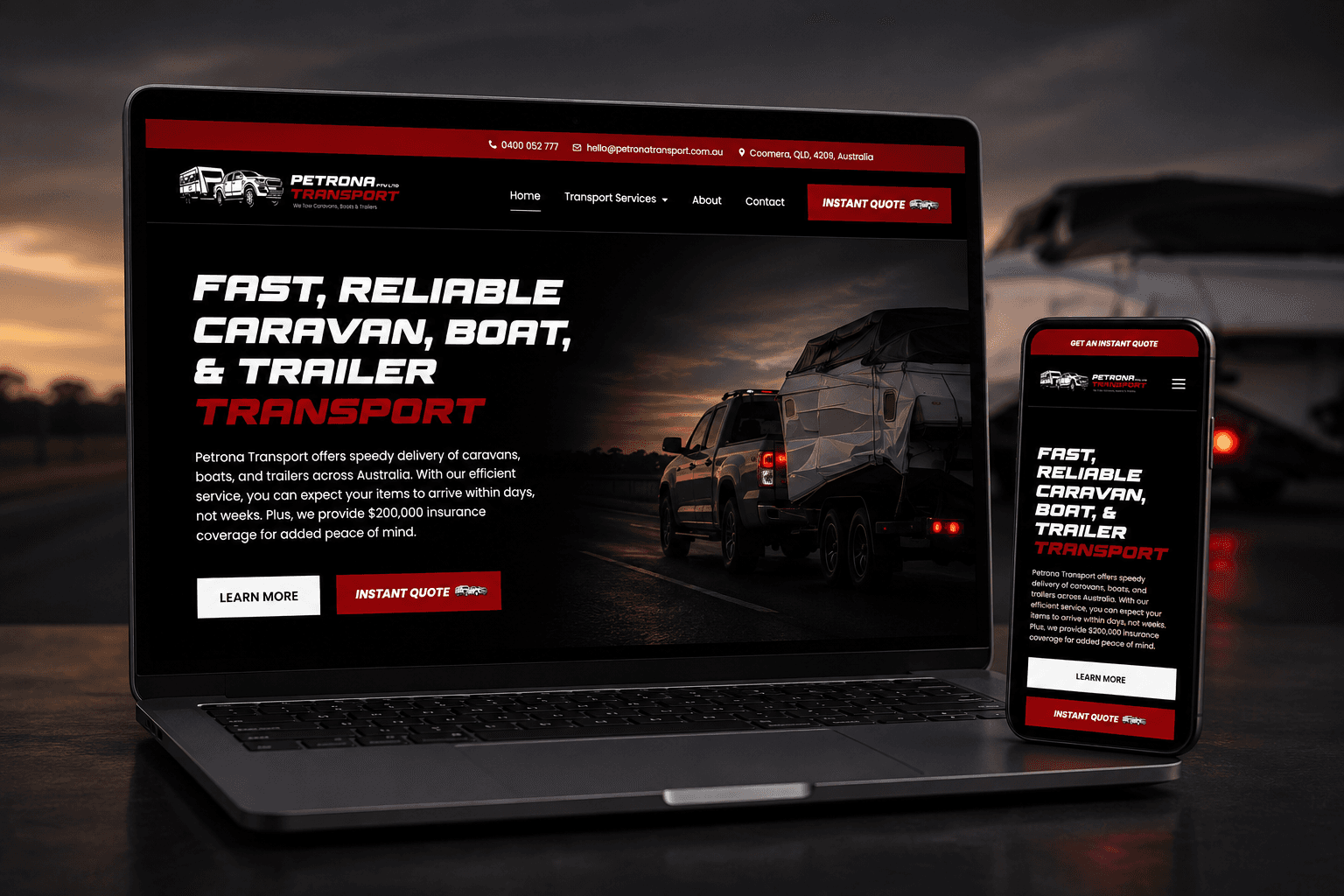
A custom website and instant quote calculator replaced slow phone-based quoting with a clearer booking journey.
1,700% more online bookings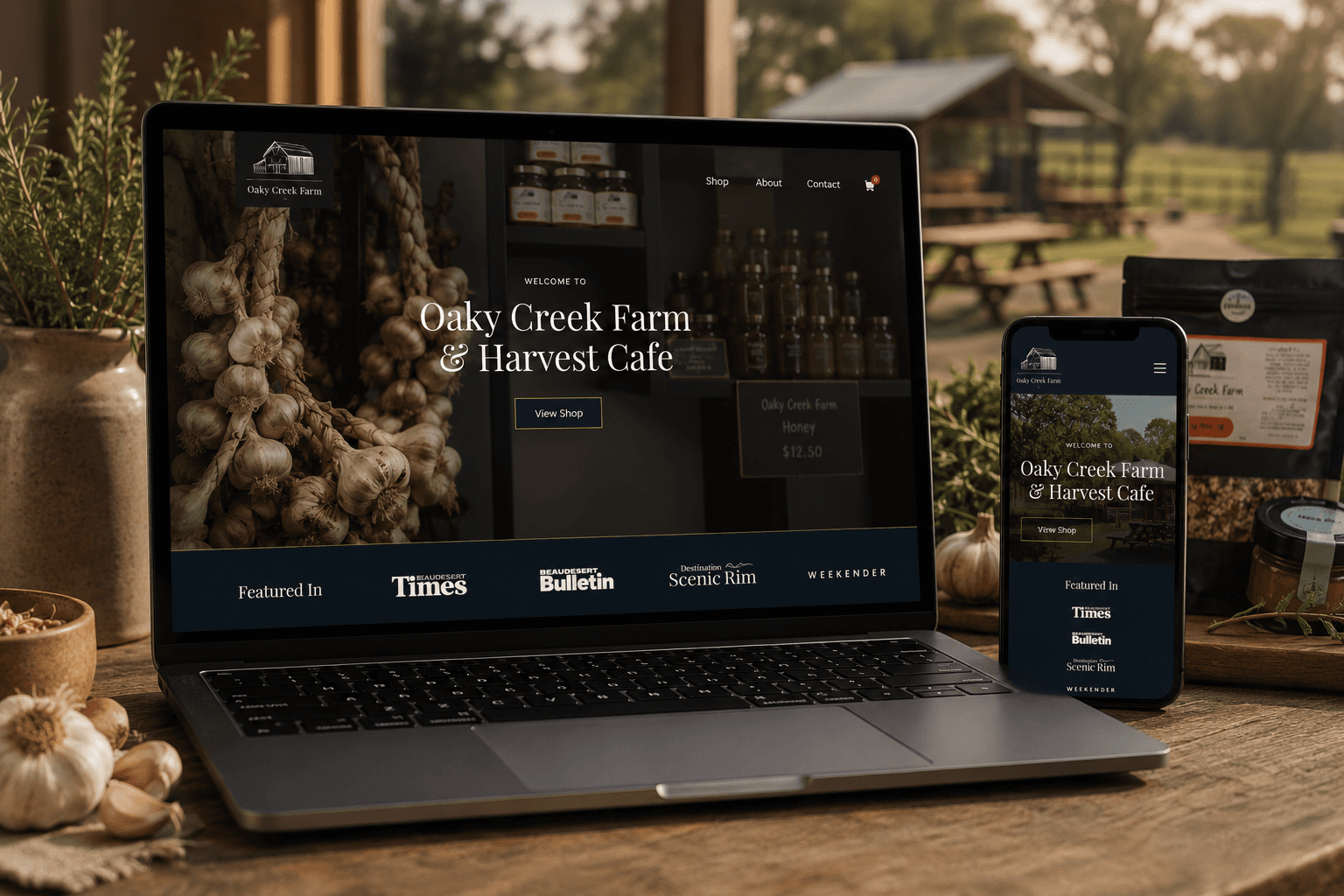
A content-rich website connects the farm cafe, products, bookings and online ordering in one customer journey.
2,105% increase in organic traffic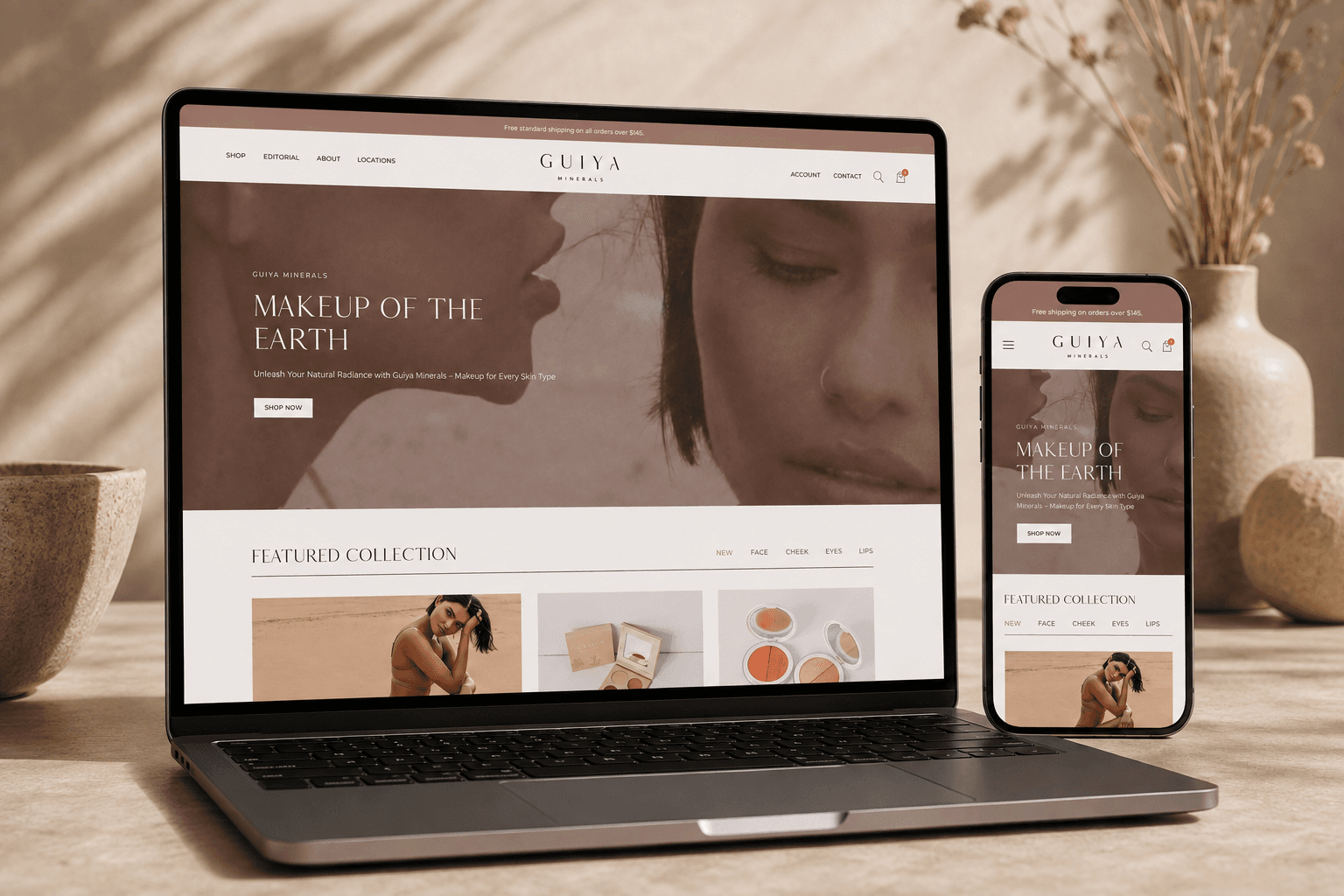
A premium online store made products easier to discover, compare and purchase across screen sizes.
1,750% increase in total salesYou receive a fixed project scope, price and payment schedule before work begins. Squarespace subscriptions and approved third-party services are identified separately so ongoing commitments remain clear.
Discuss the right website scopeUnderstand the fit, ownership, timeline and investment before deciding what belongs in the build.
Squarespace web design plans and builds a website on Squarespace, shaping its layouts, content, navigation, forms and settings around a specific business and customer journey.
It can suit a focused service, portfolio or brochure website that values managed hosting and practical editing. Suitability depends on content scale, integrations, commerce and future functionality.
Squarespace provides controls for core on-page and technical foundations. Competitive visibility still depends on useful content, website structure, performance, internal links and authority rather than the builder alone.
Squarespace offers commerce and scheduling options, but availability and suitability depend on the selected plan, workflow and region. The full customer and team process should be checked before scope is agreed.
Yes. Squarespace is designed for managed content editing, and the handover covers the routine updates your team will own. Layout protection and clear responsibilities still matter.
Often, but content, images, forms and URLs may need manual planning. Redirects, metadata, tracking and search-sensitive pages should be mapped before the new site replaces the old one.
Investment depends on page count, content readiness, design customisation, migration and integrations. You receive a fixed project price, with platform and third-party subscriptions listed separately.
Consider another platform when you need deeper content architecture, more design-system control, specialised commerce, advanced integrations or a different ownership model. The right decision follows the requirements rather than platform popularity.
These services solve closely related website problems without forcing every requirement into one generic build.
Define the customer journey and requirements before selecting the website platform.
Explore Custom web designImprove an existing site while protecting the content and URLs worth carrying forward.
Explore Website redesignsKeep priority content, integrations and customer journeys checked after launch.
Explore Website care plansOwnership, editing, products, integrations and maintenance matter more than loyalty to a particular platform.
Compare broader content flexibility, ownership and extension options.
Explore WordPress websitesExplore a design-led platform with reusable components and structured CMS content.
Explore Webflow websitesChoose a platform built specifically for product catalogues, checkout and store operations.
Explore Shopify websitesShare the pages, content and functions you need. Your current setup and likely platform requirements are reviewed before the session so the recommendation reflects both launch and the next stage.
This is a working session built around your business, not a templated audit or a disguised sales call.
Your current website and visible platform requirements are reviewed.
Clarify whether Squarespace fits the content, functionality and ownership needs.
A practical platform and project-scope recommendation.
Speak directly with the specialist doing the work. No account manager, no obligation and no sales script.