
Pages are designed one at a time
Repeated layouts drift because the build lacks shared components, spacing rules and content patterns that protect consistency.
Webflow web design can give your business precise visual control without handing every content update back to a developer. The right build connects a reusable design system, structured CMS content and a practical editing model, while making the platform limits clear before they become expensive constraints.

Webflow removes some infrastructure decisions, but it does not resolve content hierarchy, component governance or the customer journey. Without those foundations, a polished build can still become inconsistent and difficult to extend.
Repeated layouts drift because the build lacks shared components, spacing rules and content patterns that protect consistency.
Collections are created for one immediate layout instead of the services, insights, people or locations the business will need to publish later.
Unrestricted controls make accidental design changes easy and routine content updates less predictable for the team.
Advanced workflows, application features or portability needs are discovered after the site has already been designed around Webflow.
Webflow is well suited to design-led marketing websites with structured content and a defined editing team. It is a weaker fit when the website depends on complex commerce, highly specialised application logic or complete portability away from the hosted platform.
Webflow is a hosted platform, so plan choice, publishing features and platform dependence remain part of the decision. A visual build is not the same as a portable custom application.
Confirm content types, integrations, editor roles, future pages and ownership requirements before interface design begins.
Create reusable sections, variables and responsive rules so new pages feel intentional instead of assembled from unrelated blocks.
Use CMS collections and references where structured publishing improves consistency, filtering and internal connections.
Give editors the controls they need while keeping layout, brand and accessibility decisions difficult to break accidentally.
The strongest Webflow builds separate brand rules, reusable components, structured content and editor responsibilities. Each layer has a clear job.
Illustrative structure. The final model follows your content, workflows and Webflow plan.
Type, colour, spacing and responsive behaviour form a shared foundation for every template and section.
Define variables and states before individual pages introduce exceptions.
New content inherits a consistent visual language.
Headers, proof blocks, calls to action and content sections are built as controlled, repeatable units.
Expose only the properties editors genuinely need to change.
Pages can grow without rebuilding the interface each time.
Services, articles, team profiles or case studies use collections when structure makes publishing simpler.
Plan fields, references, URLs and templates around the content lifecycle.
Editors update information once and display it consistently.
Editor roles, staging checks and ownership rules reduce accidental changes and unclear approvals.
Document who can edit, review, publish and maintain integrations.
The team knows how the website stays reliable after launch.
The fixed scope follows your page structure, CMS requirements, content, integrations and the level of custom interaction the website needs.
Confirm that Webflow suits the content, functionality, ownership and future growth required.
Organise pages and navigation around how visitors understand, compare and act on the offer.
Create a distinctive design system that remains clear across desktop, tablet and mobile screens.
Build reusable components, responsive layouts and interactions inside an organised project structure.
Configure agreed collections, forms, analytics and external tools with responsibilities documented.
Check important journeys, metadata, redirects and devices before showing your team how to publish safely.
A disciplined Webflow website gives customers a coherent experience and gives your team practical control over the content they own.
The interface reflects the brand while keeping priority information and actions easy to follow.
Components and CMS templates reduce design drift as services, insights and proof are added.
Future content and platform constraints are considered before the initial structure becomes difficult to change.
Editors know what they can change, how updates are reviewed and when specialist support is needed.

Platform advice stays connected to the finished experience. You can see which choices improve the customer journey, which protect your team and which limitations need to be accepted before the build proceeds.
The sequence keeps strategy, design and Webflow development connected, with approval points before each decision becomes harder to reverse.
Map goals, audiences, content, integrations, editing roles and platform constraints into an agreed brief.
Define navigation, page roles, collection structure, content requirements and priority customer journeys.
Create responsive components, CMS templates and approved interactions within Webflow.
Validate devices, forms, search controls and editing workflows before handover and launch.
Good design makes the offer easier to understand and the next action easier to take. These projects connect the website with bookings, sales and search visibility.
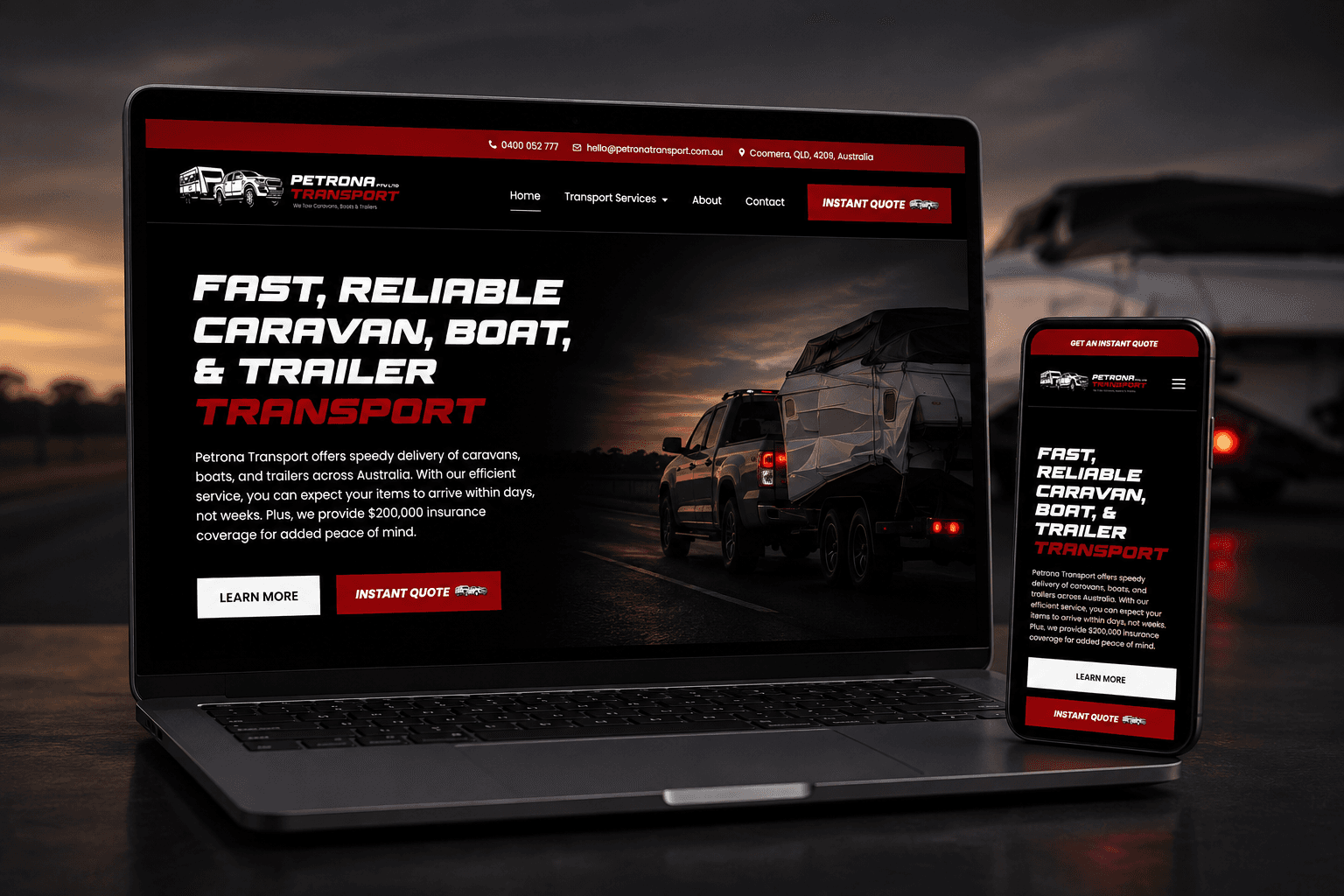
A custom website and instant quote calculator replaced slow phone-based quoting with a clearer booking journey.
1,700% more online bookings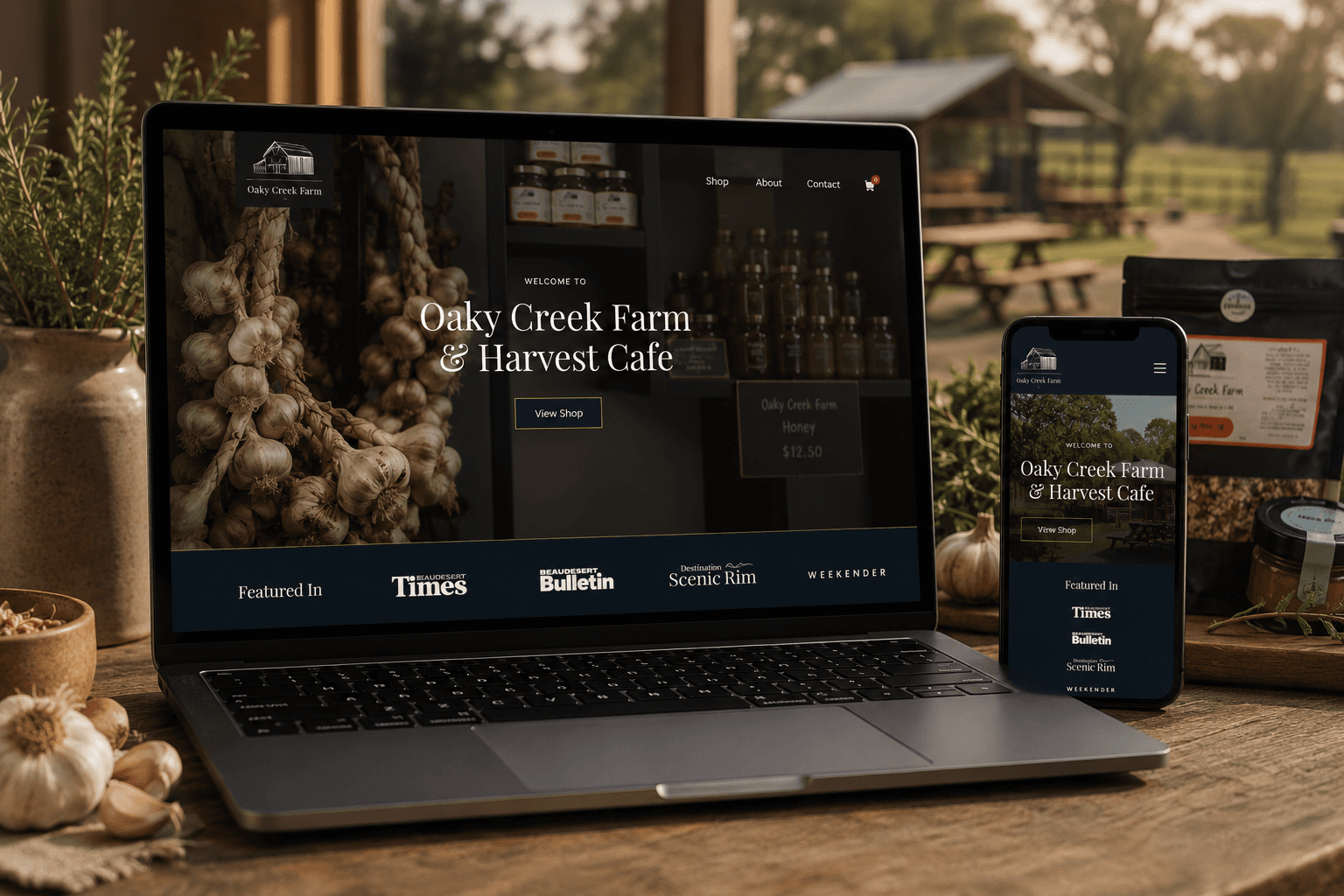
A content-rich website connects the farm cafe, products, bookings and online ordering in one customer journey.
2,105% increase in organic traffic
A premium online store made products easier to discover, compare and purchase across screen sizes.
1,750% increase in total salesYou receive a fixed project scope, price and payment schedule before work begins. Webflow subscriptions and approved third-party tools are identified separately so ongoing commitments remain visible.
Discuss the right website scopeUnderstand the fit, ownership, timeline and investment before deciding what belongs in the build.
Webflow web design plans and builds a responsive website inside Webflow, using its visual development tools, reusable components, CMS collections and hosted publishing system.
Webflow can suit design-led marketing websites with structured content and a team that values managed hosting and visual publishing. Complex applications, specialised commerce or strict portability requirements may need another platform.
Webflow provides controls for important technical and on-page foundations. Search visibility still depends on useful content, crawlable structure, performance, internal linking and authority, not the platform name alone.
Yes. Reusable components and CMS collections can make routine publishing practical. The editing model should be designed around who updates the site and which parts need protection.
Often yes through native features, embeds, automation tools or APIs. Each integration should be checked for feasibility, data ownership, reliability and ongoing responsibility before it enters scope.
Often, but the project is normally a structured migration rather than an automatic copy. Content, URLs, redirects, CMS data, forms, tracking and search signals need a documented migration plan.
Investment depends on page count, design detail, CMS structure, content, interactions and integrations. You receive a fixed project price, with Webflow and third-party subscriptions listed separately.
Some front-end files may be exportable, but CMS, forms, hosting features and other platform behaviour may not transfer as a complete working website. Portability requirements should be discussed before choosing Webflow.
These services solve closely related website problems without forcing every requirement into one generic build.
Start with the customer journey and choose the platform after the requirements are clear.
Explore Custom web designRework an existing website while protecting useful content, URLs and search value.
Explore Website redesignsCreate a focused campaign page for one offer, audience and next action.
Explore Landing page designOwnership, editing, products, integrations and maintenance matter more than loyalty to a particular platform.
Compare flexible content ownership and a broader extension ecosystem.
Explore WordPress websitesExplore a simpler all-in-one platform for more straightforward website needs.
Explore Squarespace websitesChoose a platform purpose-built around catalogue, checkout and store operations.
Explore Shopify websitesShare the website, content and functionality you need. Your current setup and likely platform requirements are reviewed before the session so you can make the decision with the trade-offs visible.
This is a working session built around your business, not a templated audit or a disguised sales call.
Your current website, content model and visible requirements are reviewed.
Clarify whether Webflow fits the design, publishing and integration needs.
A practical platform and project-scope recommendation.
Speak directly with the specialist doing the work. No account manager, no obligation and no sales script.